Every hour, in one place.
Log two hours against a new task: the card moves from To-Do to Doing, the task corrects its position on the timeline, the report updates, and the invoice assembles.
Your Team Should Be Building, Not Managing
The board keeps itself current
On Monday you plan the week. By Thursday, most boards are already fiction — they only know what someone remembered to retype. AbleTime moves on the evidence. The first hour logged pulls a task into Doing; finishing it sends it to Done. Nobody grooms columns. The board is simply true.
Explore Project Management →Plan optimistically, land in reality
Every plan is a guess. The only honest question is how far the guess drifts from what happens. The timeline measures in real working days and locks each bar to the evidence as work lands, so planned and actual sit side by side. You see the slip early, while you can still do something about it.
Explore the Timeline →Track time without thinking about it
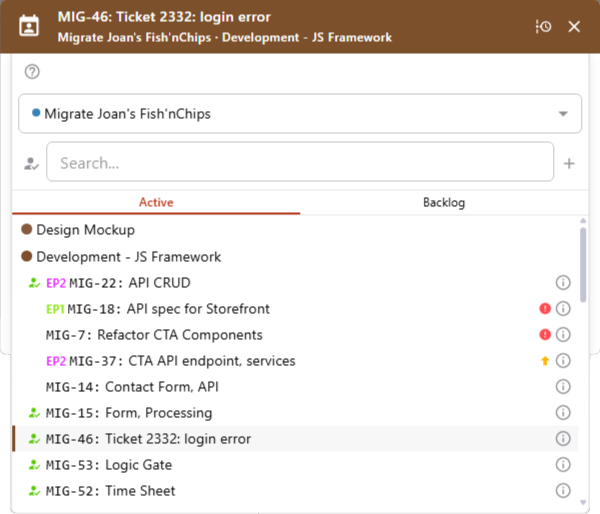
Time tracking only works if people actually do it. So it rides along on every page in the Productivity Drawer: one click to start a timer, recent work a tap away, your stats always in reach. Log once, and it feeds the work and the reports for you.
Explore Time Tracking →One grounded answer to 'are we on track?'
That question shouldn't take a day of spreadsheet assembly to answer. Because every hour is already tied to its task and project, the answer is sitting there: budget burn, velocity, overhead, accuracy — from one person's day up to the whole portfolio.
Explore Reports →The hours you tracked become the invoice
Billing is usually where tracked time gets re-entered into a second tool and reconciled by hand. Not here. The same hours, already priced by your rates, assemble into the invoice — discounts, tax, branded PDF — and you follow it from draft to paid.
Explore Invoicing →One workspace under everything
Projects, clients, categories, capacity, and the team are set once. Every hour, board, report, and invoice already shares them — including the categories that draw the line between work that ships and the overhead around it.
Explore Workspace & Setup →Go deeper
Project Management for teams that are building.
Start with 60 days of Pro, free. No card. Everything unlocked.