See where your team's hours actually go — and plan around reality.
Spreadsheets can't show you who's overcommitted or which projects are drifting. AbleTime connects time tracking to project plans so you always have estimated vs. actual, and your capacity numbers reflect the real world.
Sound familiar?
The problems we hear most from teams like yours.
Estimates with no feedback loop
You estimate projects, but there's no easy way to compare those estimates against actual hours as work happens. You only learn you were wrong after the fact.
Capacity is a guess
You can't tell who's overloaded or who has room because overhead — meetings, internal work, coordination — isn't tracked separately from deliverable work.
Planning and tracking are separate activities
Your project lives in one tool, hours are logged in another, and the disconnect means you're always guessing. AbleTime only renders reality, however you planned it.
How AbleTime helps
Time tracking tied directly to your project plan — so you always know estimated vs. actual.
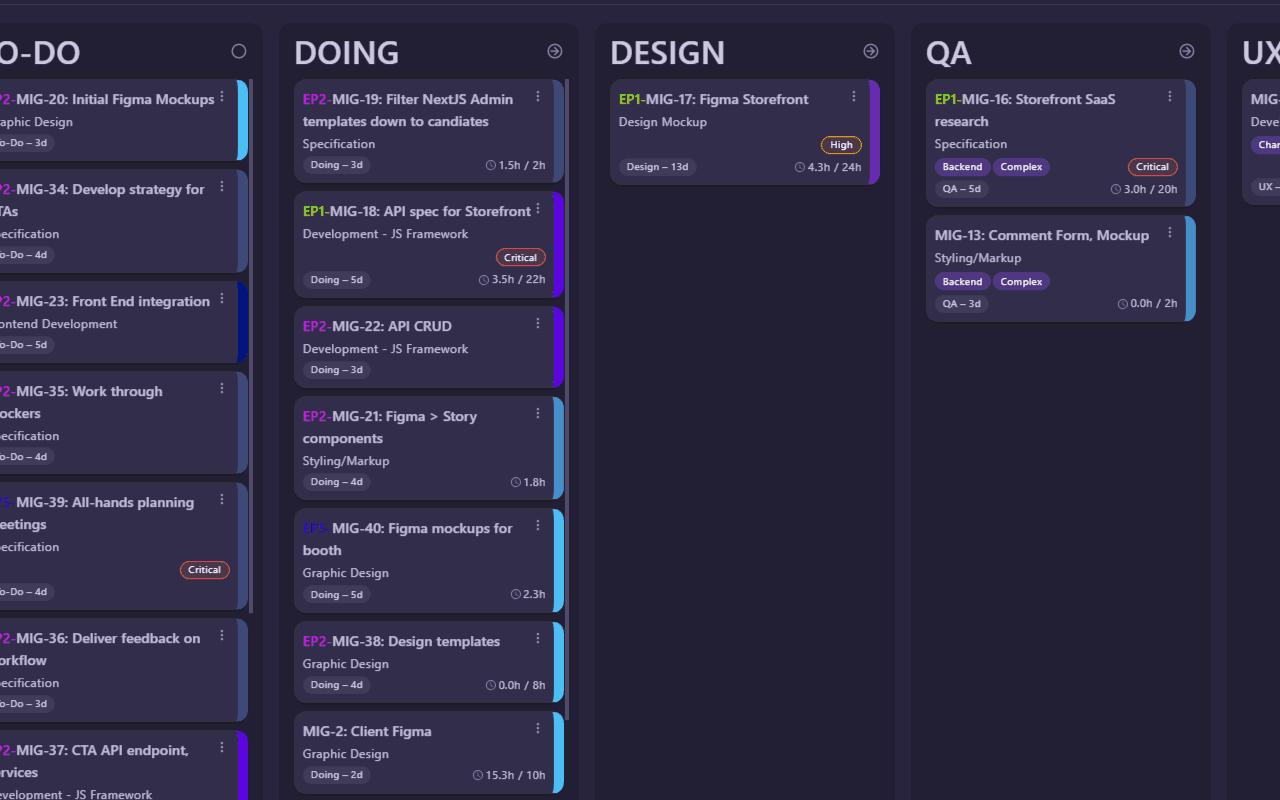
Estimated vs. actual, everywhere
Every task and epic shows planned hours against logged hours. Accuracy metrics help you get better at estimating over time.
Real capacity, not theoretical
Track overhead separately from project work so you know how many hours your team actually has for deliverables each week.
One tool instead of three
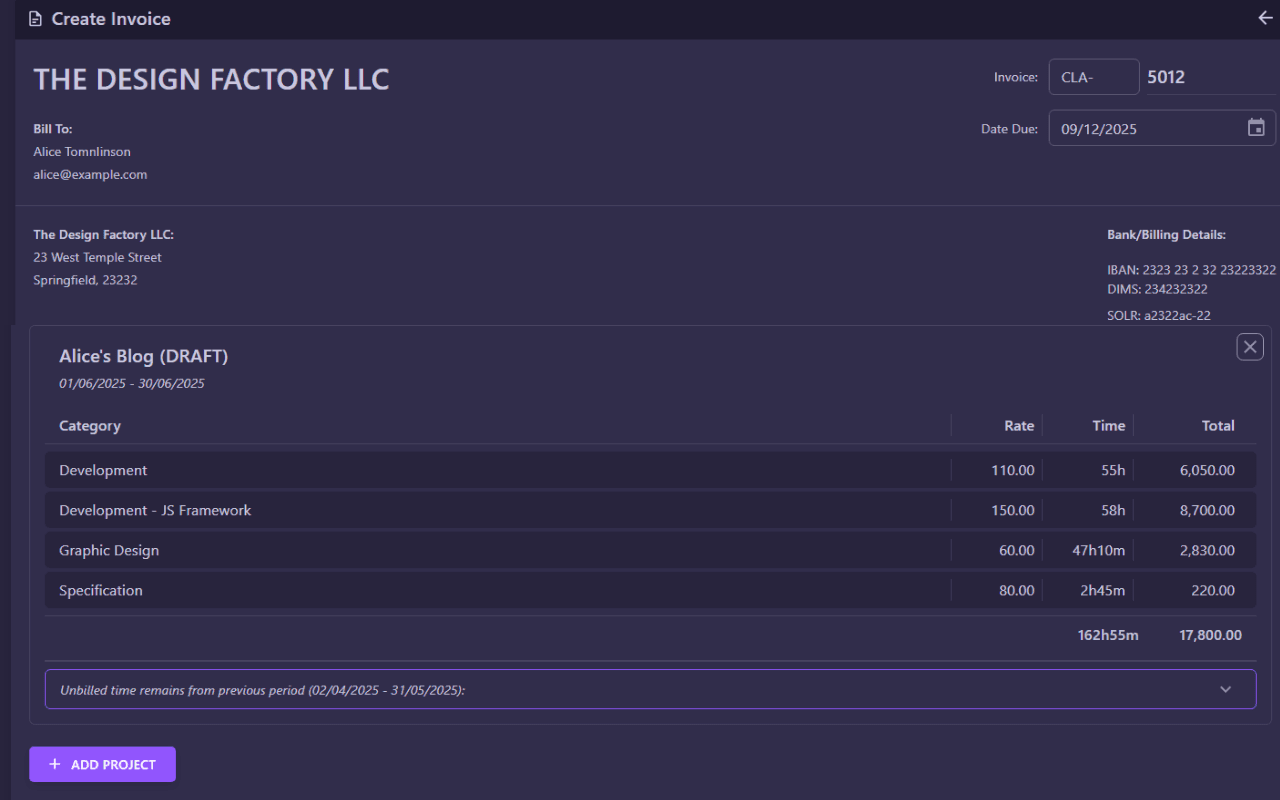
Tasks, epics, timelines, and time entries in one place. Reconciliation is automatic. The result is business intelligence, not guesswork.
Ready for 60 days of Pro, free?
Request access and run real projects on the full platform.
No card. Everything unlocked.